Everything the academy is working on, in one place.
The tasks each person owes. The productions that move from one department to the next. The pages that hold what everybody needs to know. And one place to ask how any of it is going.
Invite-only. Ask an administrator for an account.
One place for all of it
- Tasks
- Productions
- Wiki
- Ask AMAU
- Reports
- Studio
Used across Operations, Production, Content, Marketing and IT — and everybody sees the work that is theirs to see.
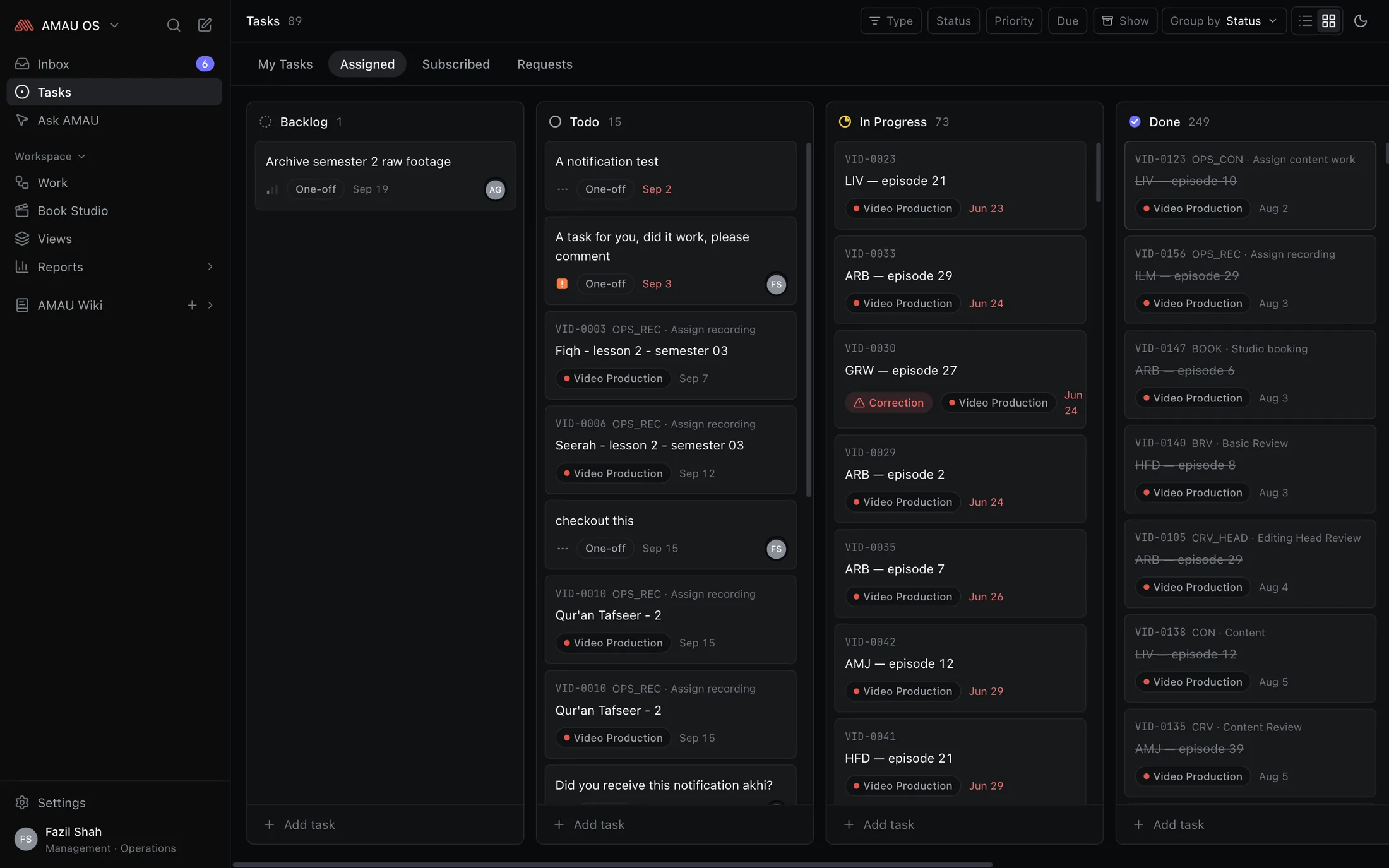
Tasks
Everything you owe, on one list.
Open AMAU OS and the first thing you see is your own work — what you took on, what somebody gave you, and the parts of a production that are now your turn. Overdue at the top, then whatever is due soonest. There is nothing to sort and nothing to check twice.
- One list, whatever the work is. A task a colleague sent you and your step of this week's video sit side by side.
- Read it as a list or as a board, whichever suits the day — drag a card to another column and the work has moved.
- Some jobs belong to more than one person, so a task can be given to several — nobody is left as a spectator on work they are doing.
- Finished with something? Put it away. It leaves your list and nobody else's, and nothing is ever deleted.
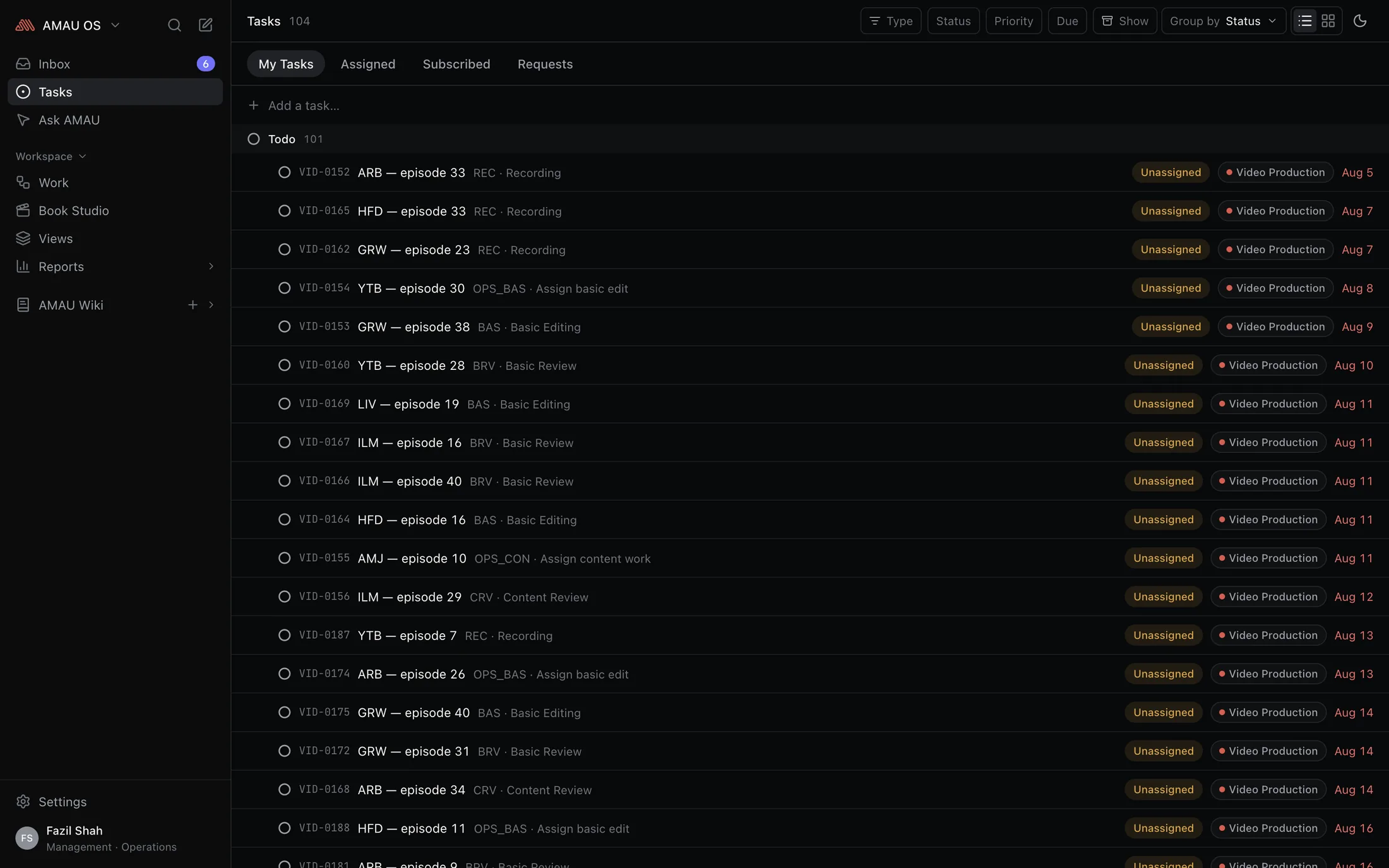
Productions
Work that carries itself forward.
A video passes through fifteen pairs of hands before it goes out. Set that run out once — the steps, who is eligible for each, what they hand on — and every new video arrives with the whole thing laid out, appearing on the next person's list the moment the one before it is finished.
- Nobody has to remember to pass work on, and nobody has to ask whether it is their turn yet.
- Deadlines come from people, not from a formula: whoever hands work over sets the date on it, so every date on the board is one somebody actually agreed to.
- Set up in a builder, by an administrator. Adding a step, changing who may do it or asking for one more piece of information does not need a developer or a deploy.
- Change the process whenever you like — work already underway keeps the shape it started with, so its history still makes sense a year later.
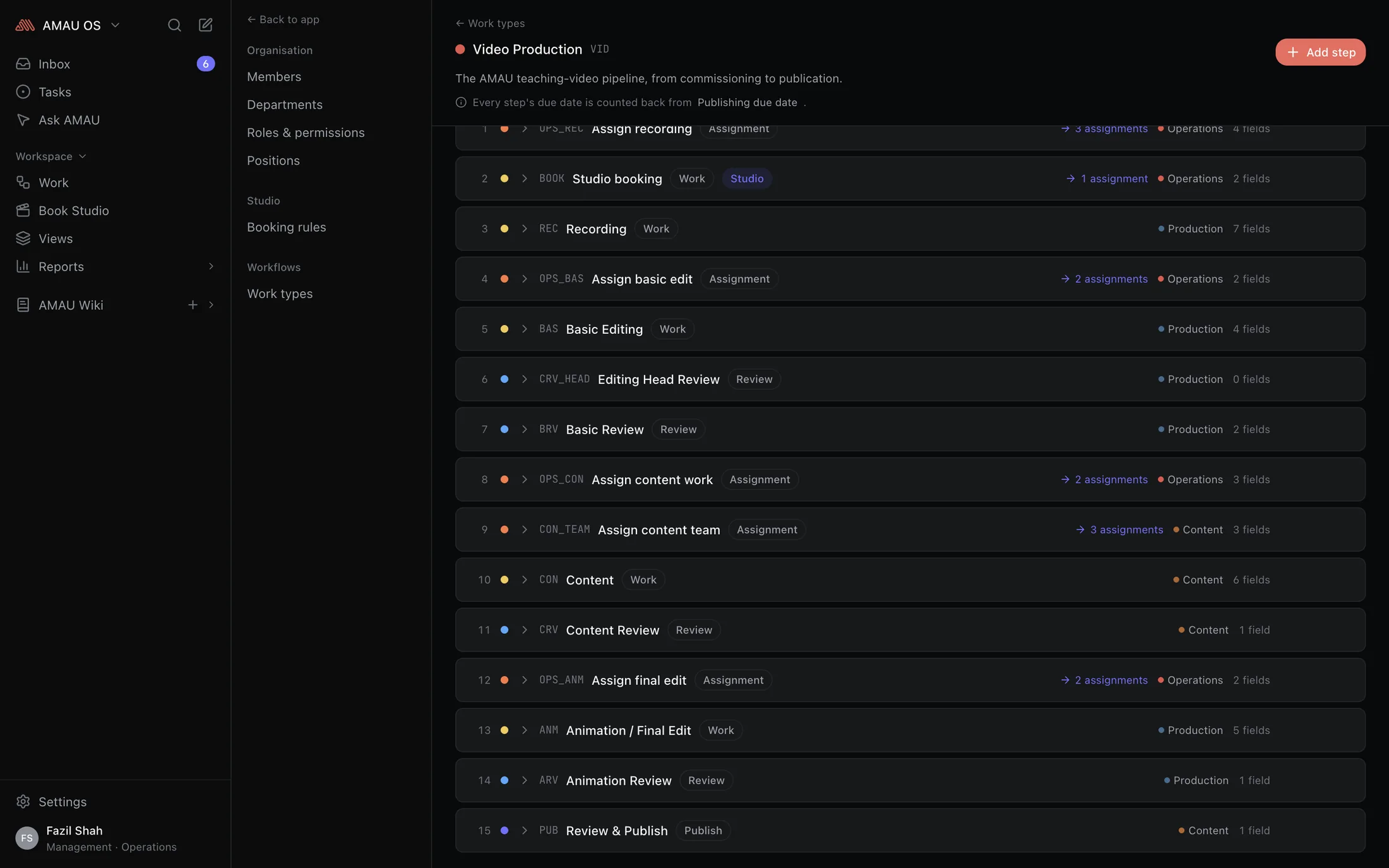
AMAU Wiki
Everything the team knows, written down.
How we film. What we decided in March. The checklist nobody can ever find. Pages start private, and you share one by writing: mention a colleague and they can edit it, write @all and the whole academy has it. There is no sharing dialog to learn.
- Written the way you write everywhere else here — headings, checklists, images, files — and you never see a formatting symbol.
- A page can carry a task and a task can carry a page, so the note and the work are one click apart.
- It saves as you write, and keeps anything unsaved on your own device if the tab closes.
- People you tag hear about it once, not on every keystroke.
Handoff
Hand it on — when they say yes.
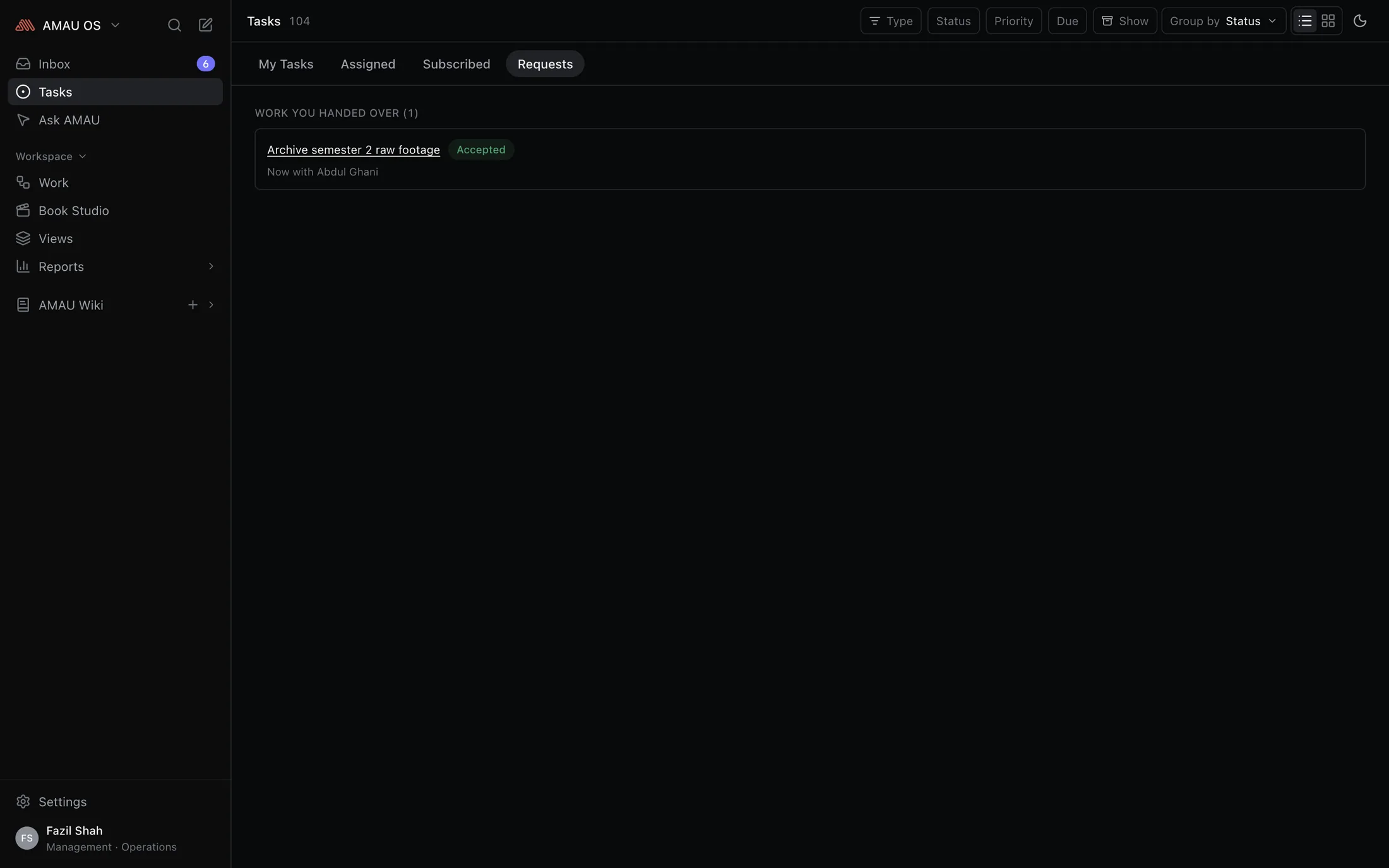
Cannot get to something? Ask a named colleague to take it over, and say why. Until they accept it is still yours: still on your list, still your name against it. Asking is not a way to stop being responsible for something.
- The work moves when they accept, not when you ask.
- A reason is required, because “can you take this?” with nothing after it is how a queue turns into pass-the-parcel.
- They can decline, you can withdraw, and a request for work that has already moved on quietly stops applying instead of going stale.
- A manager reassigning is a different thing and still exists. That one is authority; this is consent — and both are on the record.
Ask AMAU
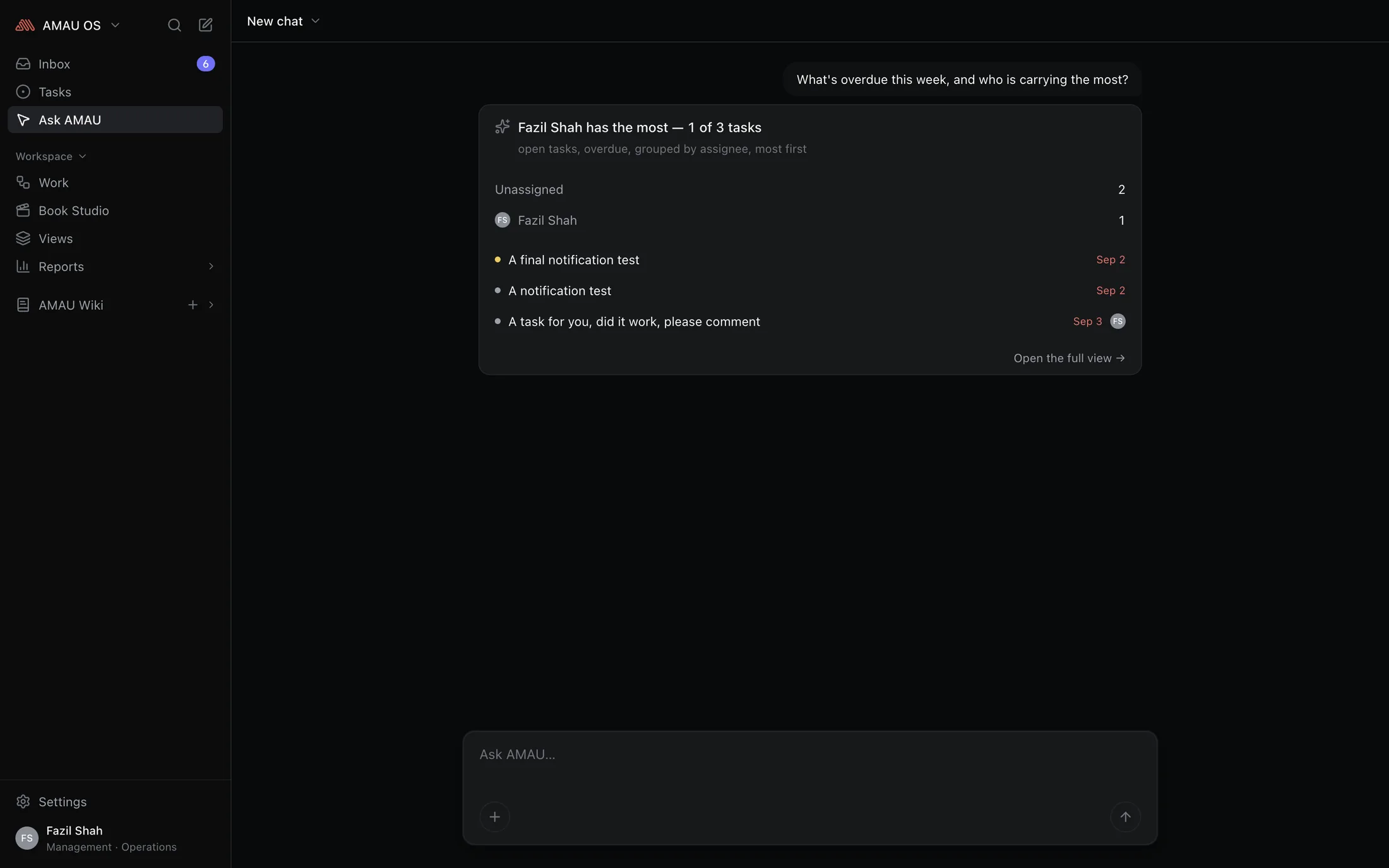
Your personal AI assistant.
One that already knows the work. What is overdue, who is carrying the most this week, where that video got stuck — ask in your own words and the answer comes back from your actual tasks and pages. Not a general chatbot given a tour of the company: an assistant that reads what you can read, and nothing else.
- It answers out of your own work — your tasks, your steps, your pages — so it is never confidently wrong about what is going on.
- It sees exactly what you see. Your permissions come with you into the question, and nobody's assistant reaches further than they can.
- Your colleagues' names never leave the building: they are taken out before a question is sent, and put back in the answer.
- Ask from anywhere — its own screen at a desk, a sheet over whatever you were reading on a phone — and conversations are kept, so last week's question is still there to pick up.
Reports
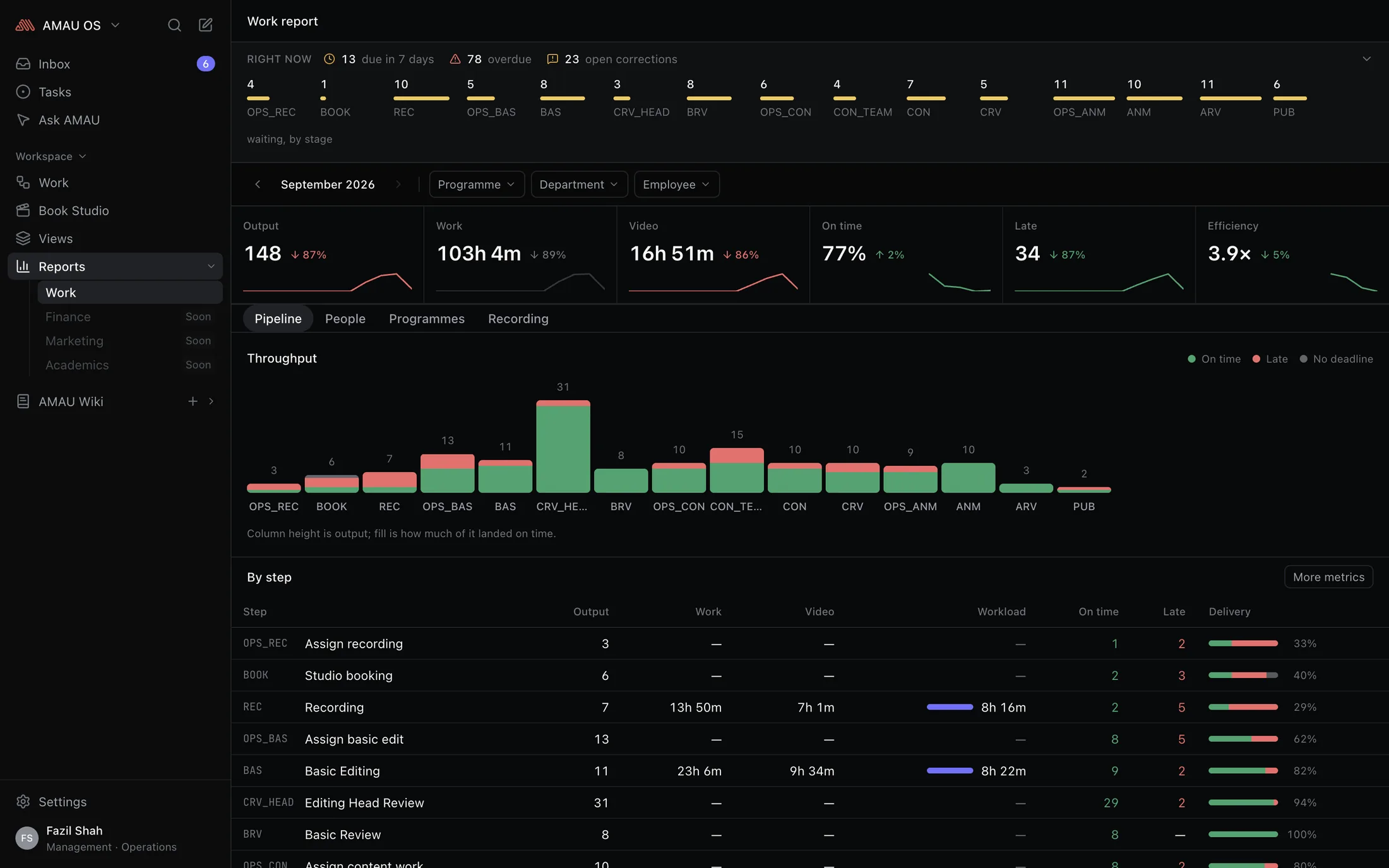
How the month actually went.
The numbers people have been filling in for months, read back to you: how much got through each stage, who is carrying what, and what landed on time. One screen instead of five people's separate answers.
- The whole pipeline for a month, stage by stage, so a bottleneck is visible before somebody complains about it.
- Load and on-time rates per person, narrowed to a department, a kind of work or a programme.
- A view is a link — send somebody exactly what you are looking at.
- Nobody's report shows more than they could already see for themselves.
Studio
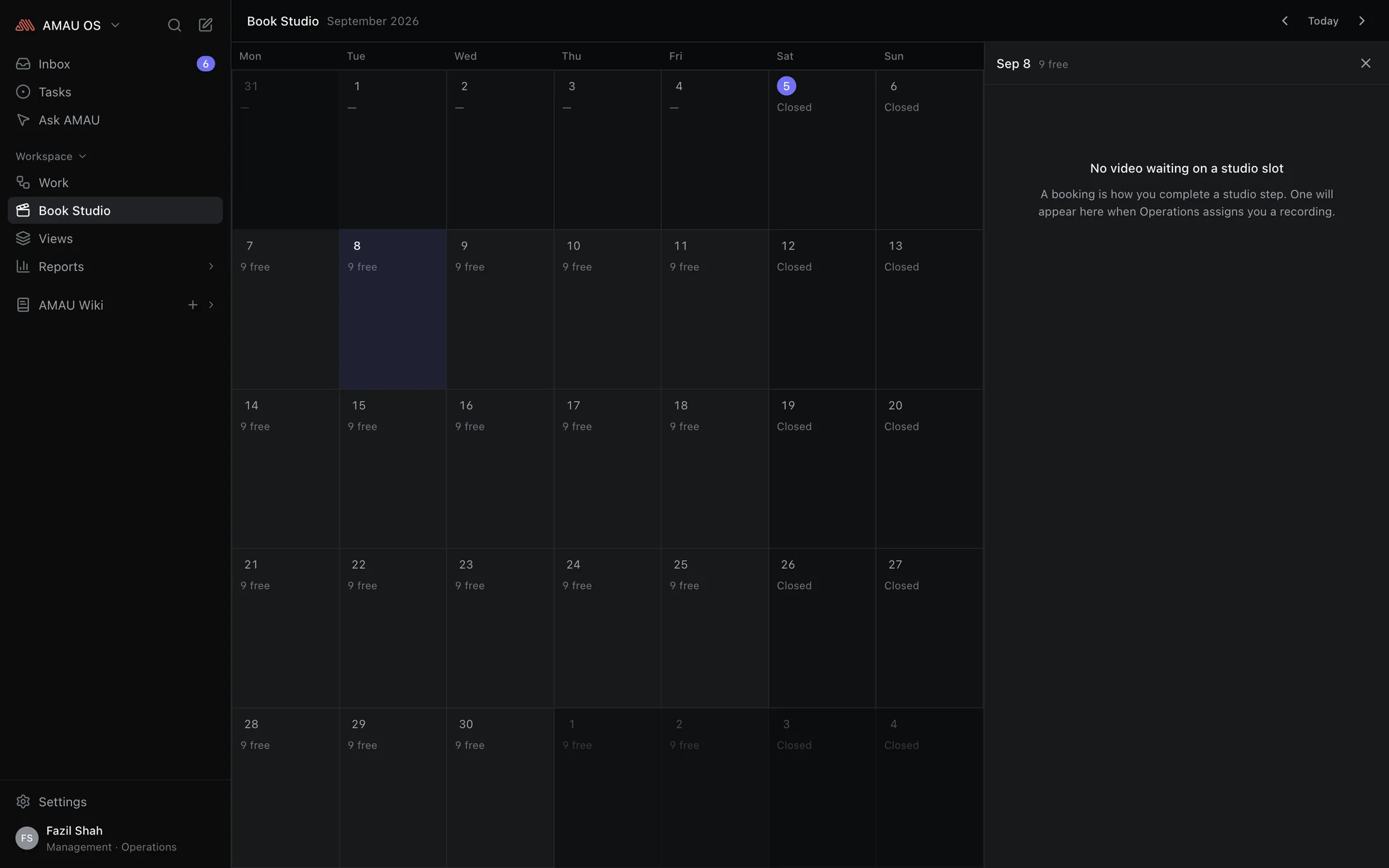
The room, booked in two clicks.
A month at a glance: what is taken, what is free, and the days the studio is closed. Teachers book their own slot; Operations books on somebody's behalf when that is the job.
- Two people can never end up with the same slot, however close together they press the button.
- A booking belongs to the recording it is for, so the room and the shoot can never disagree about when it is.
- Opening hours, slot length and closed days are settings an administrator changes in the afternoon.
- Cancel in time and the slot goes straight back for somebody else.
Nobody should have to ask where the work is, who has it now, or whether it is late.
Light & dark
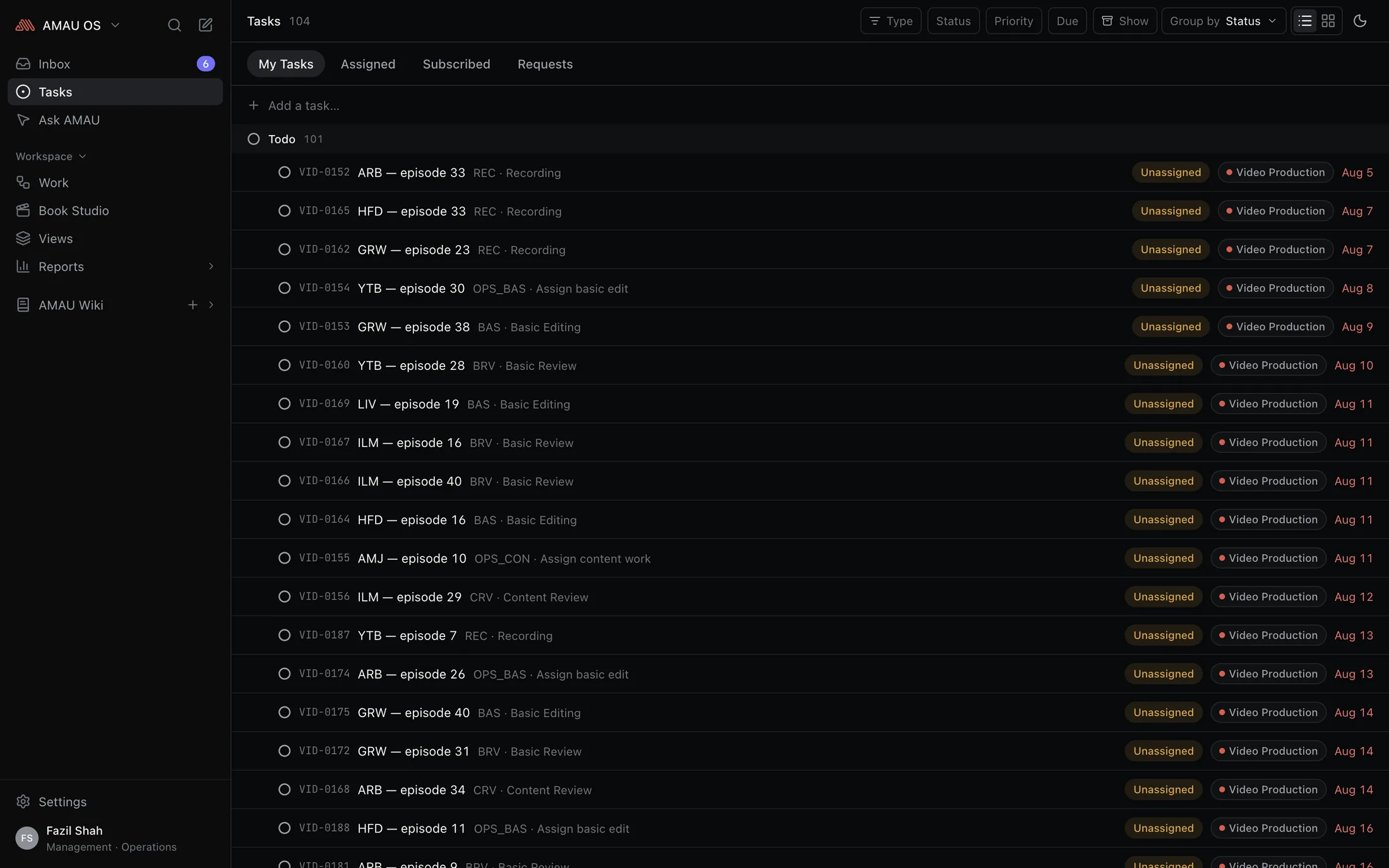
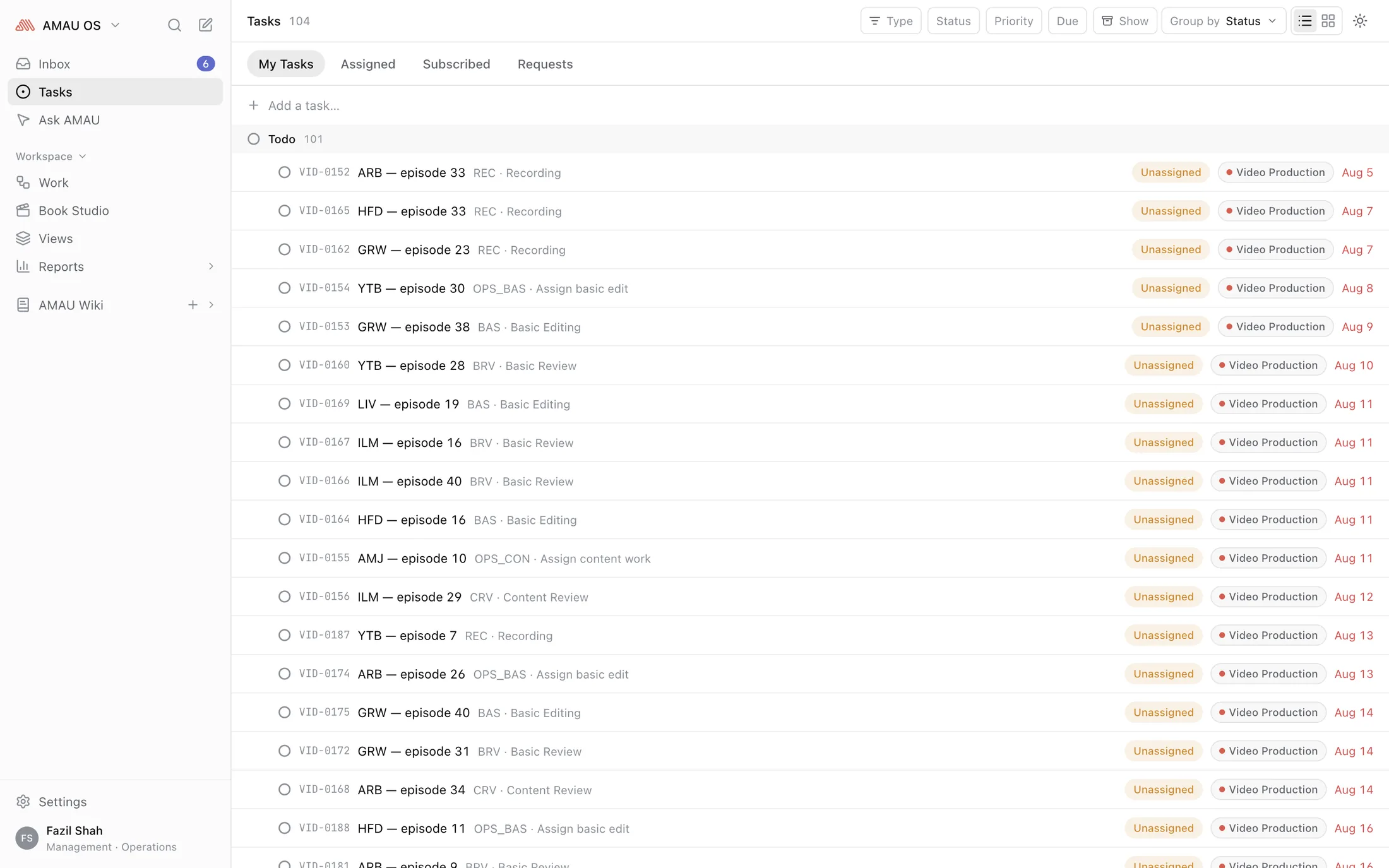
Works the way you do — light or dark.
Not a dimmed version of the light one. Both are drawn properly, so an overdue date reads as overdue and a chart stays readable whichever you use — including at eleven at night. Try it: this is the app's own switch.
The rest of it
The small things you notice in week two.
Everything a keystroke away
⌘K goes to any screen, any task, or straight to the thing you were about to search for. You can work all day without the mouse.
Quick to read, quick to change
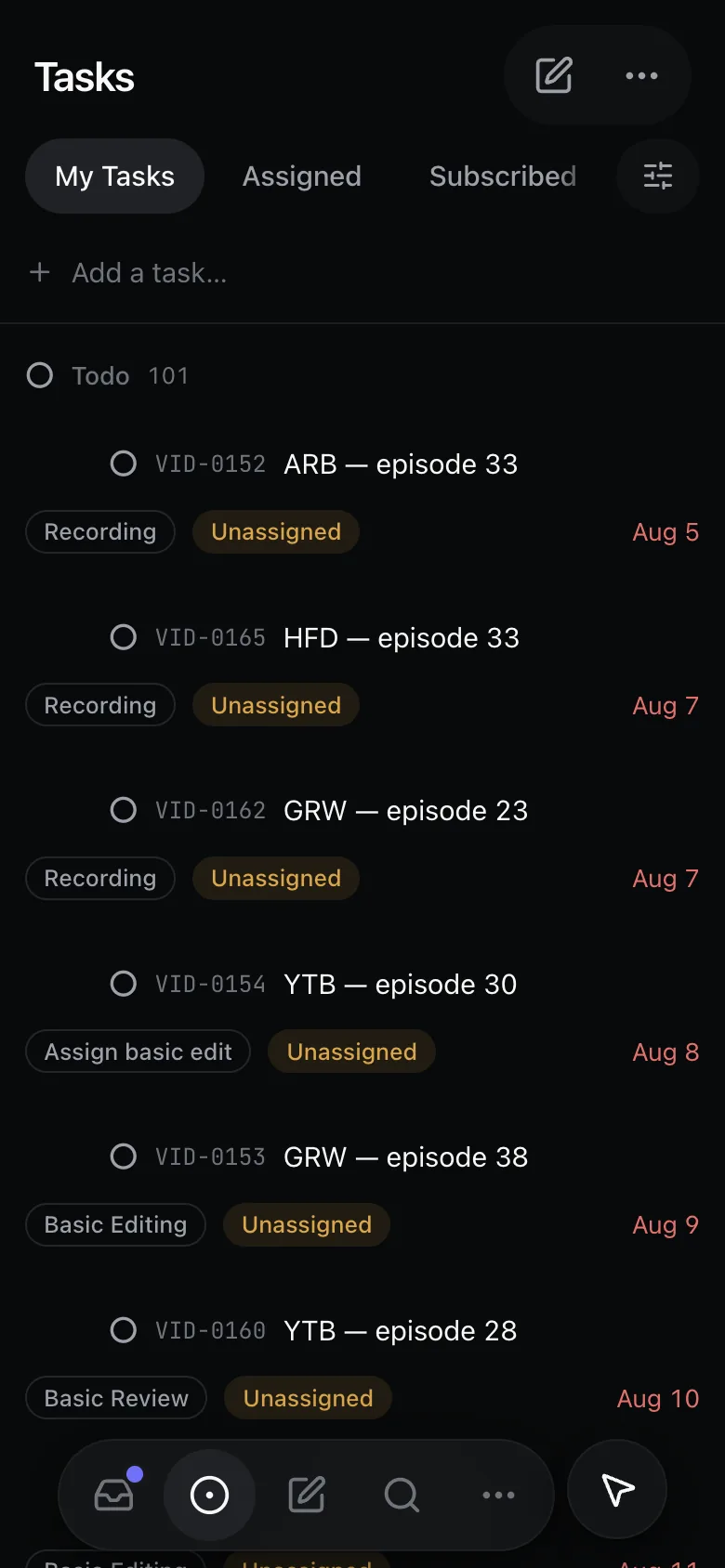
Rows are tight, edits happen in place instead of in a pop-up, and on a phone the whole thing grows to fit a thumb.
You see what is yours to see
What each person can open is decided once and enforced everywhere — in their lists, their searches and their reports alike.
Set up like the academy is
Departments, roles and job titles are yours to arrange. An administrator can compose what a role may do without anybody writing code.
An @ means something
Mention somebody on a task and they are kept in the loop. Mention them on a page and they can edit it. One gesture, wherever you are.
Files that stay put
Drop a PDF or a screenshot into anything you write. It still opens a year later, for everybody who can see the page it is on.
Always up to date
Somebody else moves a step and your list moves with it — no refreshing, and no wondering whether you are looking at yesterday.
Tidy up without hiding things
Putting finished work away clears your list and nobody else's. Nothing is deleted, and if it re-opens it comes back.
iOS & Android
Install it like an app. Because it is one.
No store, no review queue, no build to wait for. AMAU OS installs straight from the browser in about ten seconds — full screen, its own icon, and a push notification the moment a step lands in your name.
iPhone & iPad
- 1Open AMAU OS in Safari and sign in.
- 2Tap the Share button in the toolbar.
- 3Choose Add to Home Screen, then Add.
- 4Launch it from the Home Screen — no address bar, no tab.
Android
- 1Open AMAU OS in Chrome and sign in.
- 2Tap the ⋮ menu, then Install app.
- 3Confirm — it lands in your app drawer like any other.
- 4Allow notifications when it asks.
- On iPhone, notifications work only once it is on the Home Screen — that is Safari's rule, and it needs iOS 16.4 or later.
- What you have already opened keeps working on a dropped connection, and an update arrives the next time you launch it.
Pick up where the work is.
Your tasks, your steps, your pages and your bookings are already waiting on the other side of one screen.
Invite-only. An administrator sets your password, or sends a one-time link.